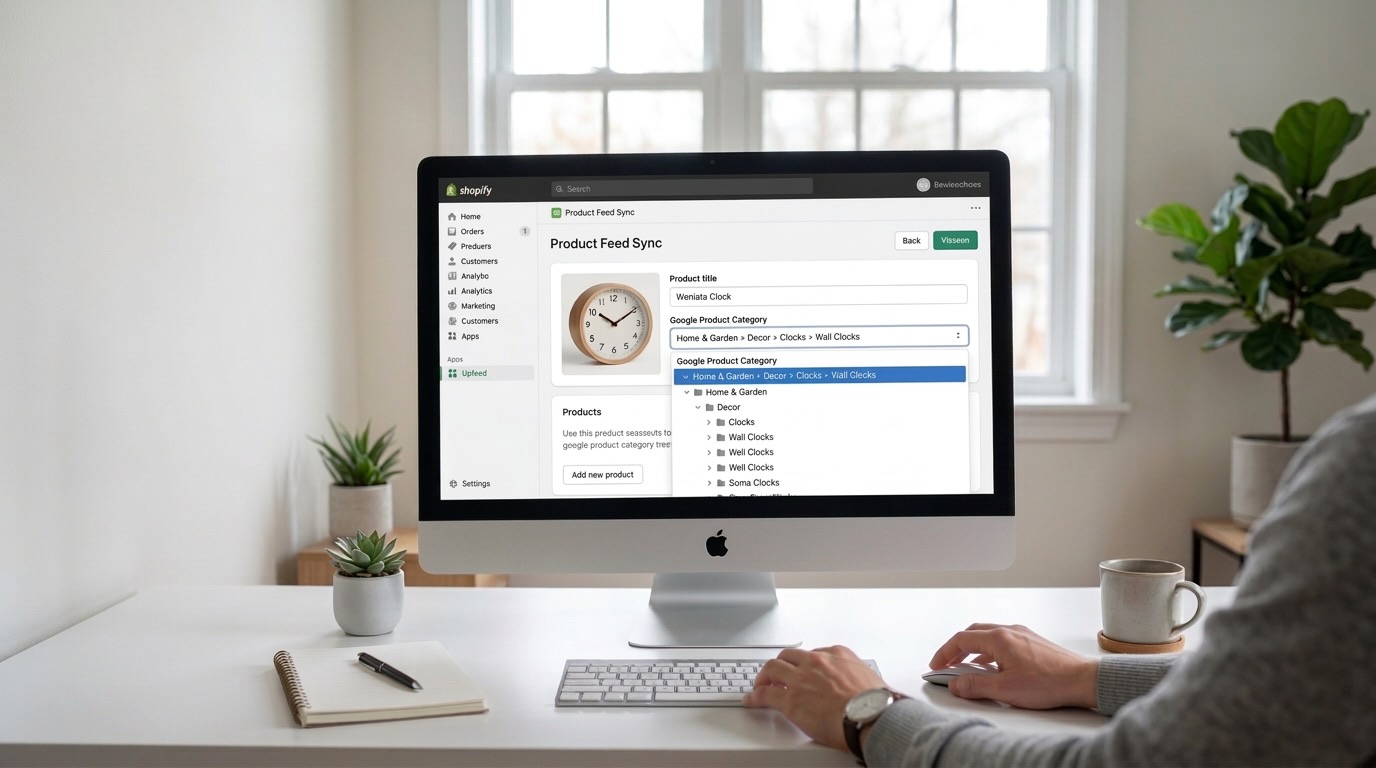
Google Product Categories Explained
If you advertise your products on Google Shopping, you've probably come across the term Google Product Category. It's one of the most important attributes in a product feed, yet it's also one of the most misunderstood.
Choosing the right category helps Google understand what you're selling and can improve how your products appear in search results. When used correctly, Google product categories help your products reach the right audience and improve the performance of your shopping campaigns.
In this guide, we'll explain what Google Product Categories are, why they matter, and how to choose the right one for your products.
What Is a Google Product Category?
A Google Product Category is part of Google's predefined product taxonomy that classifies products into specific groups.
Google uses these categories to better understand what type of product you're selling. This helps Google match your products with relevant search queries and show them in the right shopping results.
For example, instead of simply telling Google you sell a running shoe, you can place the product into a more precise category such as Apparel & Accessories > Shoes > Athletic Shoes.
This structured categorization helps Google accurately classify your product.
Unlike your store's internal product categories, Google categories follow a standardized taxonomy created by Google.
Why Google Product Categories Matter
Adding the correct Google product category can significantly improve the performance of your product listings and ads.
Here are some of the main reasons why they matter.
Better Product Understanding
Google uses product feed attributes to determine what your product is and where it should appear.
The Google product category provides a clear signal about the type of product you're selling. This helps Google better interpret your product data.
Without a category, Google must rely only on titles and descriptions, which can sometimes lead to incorrect classification.
Improved Ad Targeting
Accurate categories help Google show your products to the right users.
For example, if your product is categorized under Electronics > Video Games & Consoles > Video Game Consoles, Google knows the product is related to gaming and can show it to users searching for gaming consoles.
Better categorization leads to more relevant impressions and potentially higher conversion rates.
Required for Some Product Types
For certain industries, Google requires the correct product category to enforce advertising policies.
Examples include:
- Apparel
- Media products
- Health products
- Alcohol
- Adult products
In these cases, choosing the correct category ensures that your products comply with Google's advertising policies.
Google Product Categories vs Product Types
One common source of confusion is the difference between Google Product Categories and Product Types.
Although they sound similar, they serve different purposes.
Google Product Category
This attribute comes from Google's official taxonomy.
You must choose a category from the list defined by Google.
Example: Electronics > Video Games & Consoles > Video Game Consoles
Product Type
The product type attribute is defined by the merchant.
It reflects your own store's product organization.
Example: Gaming > Consoles > PlayStation
Why Both Are Important
Google Product Categories help Google understand your product using a standardized system.
Product types give additional context based on how your store organizes products.
Using both together helps Google better interpret your product catalog.
Understanding the Google Product Taxonomy
Google's product taxonomy contains thousands of categories organized in a hierarchical structure.
Each category becomes more specific as you go deeper into the hierarchy.
For example:
- Apparel & Accessories
- Clothing
- Outerwear
- Coats & Jackets
When assigning a category, it's usually best to choose the most specific category that accurately describes your product.
More specific categories provide clearer signals to Google about your product type.
However, if a specific category doesn't perfectly match your product, it's better to choose a slightly broader but accurate category.
Examples of Google Product Categories
To better understand how categories work, here are some real examples.
Example 1: Running Shoes
Product: Nike Air Zoom Pegasus
Google product category: Apparel & Accessories > Shoes > Athletic Shoes
Example 2: Gift Cards
Product: Apple Gift Card
Google product category: Arts & Entertainment > Party & Celebration > Gift Giving > Gift Cards & Certificates
Example 3: Gaming Console
Product: PlayStation 5
Google product category: Electronics > Video Games & Consoles > Video Game Consoles
Example 4: Coffee Machine
Product: Nespresso Coffee Machine
Google product category: Home & Garden > Kitchen & Dining > Kitchen Appliances > Coffee Makers
These examples show how the taxonomy organizes products into structured categories.
How to Choose the Right Google Product Category
Selecting the correct category is important, but it doesn't need to be complicated.
Here are a few simple guidelines.
Choose the Most Relevant Category
Always choose the category that best describes the primary function of the product.
For example, if you sell a smartwatch, it should be categorized as a watch or wearable device, not simply under electronics.
Be as Specific as Possible
More specific categories help Google better understand your product.
For example, instead of using Electronics, use Electronics > Video Games & Consoles > Video Game Consoles.
Avoid Incorrect Categories
Choosing the wrong category can negatively affect your product listings and may even cause policy violations for restricted products.
Make sure the category accurately reflects the product.
Don't Overthink It
The category doesn't need to be perfect.
Google also uses other feed attributes such as:
- Product title
- Description
- Brand
- GTIN
These attributes help Google understand the product alongside the category.
Where Google Product Categories Are Used
Google product categories are primarily used in Google Merchant Center, which powers Google Shopping ads and free product listings.
The category attribute is included in your product feed.
Example feed attribute:
googleproductcategory: Electronics > Video Games & Consoles > Video Game Consoles
Some feed formats use the numeric ID instead of the category name.
For example:
googleproductcategory: 488
Both formats represent the same category.
Common Mistakes to Avoid
Many merchants make small mistakes when assigning categories.
Here are a few common ones.
Using Store Categories Instead of Google Categories
Your store categories and Google categories are different systems.
For example:
Store category: Accessories > Phone Accessories
Google category: Electronics > Electronics Accessories > Mobile Phone Accessories
Make sure you use categories from the official Google taxonomy.
Choosing Categories That Are Too Broad
Broad categories provide less information to Google.
For example, instead of Electronics, use Electronics > Computers > Laptops.
More specific categories improve product classification.
Leaving the Category Empty
Google can automatically categorize products, but providing the category yourself usually results in better accuracy.
Adding the category gives Google clearer signals about your product.
Managing Google Product Categories for Large Catalogs
If you manage a store with hundreds or thousands of products, assigning categories manually can become time-consuming.
Many merchants use product feed tools to automate this process.
These tools can help:
- Map store categories to Google categories
- Automatically assign categories to products
- Optimize product feed attributes
- Export feeds for Google Merchant Center
Automation is especially helpful for stores with large catalogs or frequent product updates.
Final Thoughts
Google Product Categories are an important part of optimizing your product feed for Google Shopping.
They help Google understand your products, improve targeting, and ensure your listings appear in the right search results.
By choosing accurate and specific categories, you give Google clearer signals about your products and improve the chances of reaching the right customers.
For most stores, adding the correct category is a simple step that can make a meaningful difference in how products perform in Google Shopping.