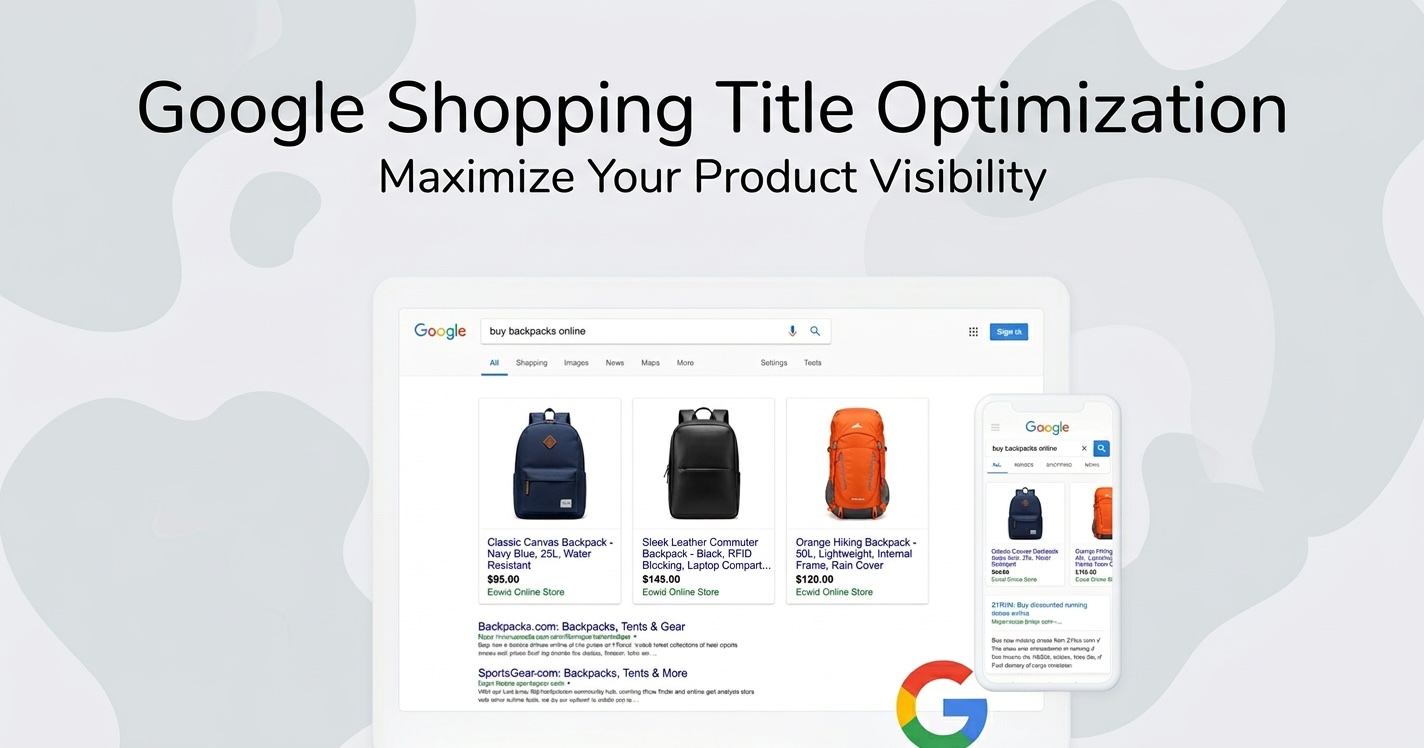
Google Shopping Title Optimization: How to Write Product Titles That Drive More Clicks
When it comes to Google Shopping ads, your product title is one of the most important factors influencing performance.
Unlike traditional search ads, Google Shopping doesn't rely on keywords you bid on. Instead, Google uses the data in your product feed to determine when your products should appear in search results.
This means your product title plays a major role in how Google understands your product and which searches trigger your ads.
Well-optimized product titles can significantly improve:
- Product visibility in search results
- Click-through rates (CTR)
- Conversion rates
- Return on ad spend (ROAS)
In this guide, we'll explain how Google Shopping titles work and how to structure them to maximize performance.
Why Product Titles Matter in Google Shopping
Your product title is one of the strongest signals Google uses to understand your product.
When someone searches on Google, the algorithm scans product feed data to determine which products match the search query. The product title is typically the first attribute Google evaluates.
For example, if a user searches for:
nike running shoes men black
Google will prioritize products whose titles include similar keywords.
If your product title is vague, such as:
Pegasus 40
Google may struggle to understand the product and show it for relevant searches.
However, a more descriptive title like:
Nike Air Zoom Pegasus 40 Running Shoes – Men's – Black
provides clear context and increases the chances of appearing in relevant searches.
In short, better titles help Google better understand your products.
How Google Uses Product Titles
Google analyzes product titles to determine several things:
- What the product is
- Who the product is for
- Which searches are relevant
- How to match products with user intent
Product titles also appear prominently in Google Shopping ads, meaning they influence whether a shopper clicks your product.
A good title must therefore work for both:
- Google's algorithm
- Human shoppers
Balancing these two goals is key to effective title optimization.
Recommended Structure for Google Shopping Titles
One of the most effective ways to optimize product titles is to follow a consistent structure.
Although the exact format may vary by product type, a common structure looks like this:
Brand + Product Type + Key Attributes + Variant
Key attributes may include:
- Gender
- Color
- Size
- Material
- Model name
- Key features
Example:
Nike Air Zoom Pegasus 40 Running Shoes – Men's – Black
This structure provides important information early in the title, helping both Google and shoppers understand the product quickly.
Place Important Keywords First
Google gives more weight to words that appear at the beginning of the title.
This means your most important keywords should appear early.
For example:
Good title:
Sony WH-1000XM5 Wireless Noise Cancelling Headphones – Black
Poor title:
Premium Audio Experience With Sony WH-1000XM5 Wireless Headphones
The first title immediately communicates the product type and brand.
The second title contains unnecessary marketing language and delays the important information.
Avoid filler phrases like:
- Best quality
- Limited offer
- Amazing product
- Free shipping
Focus on clear product attributes instead.
Include Important Product Attributes
Attributes help Google understand exactly which product you're selling.
Common attributes include:
- Brand
- Product type
- Color
- Size
- Material
- Model number
- Gender
- Compatibility
For example:
Apple AirPods Pro (2nd Generation) Wireless Earbuds – White
This title includes:
- Brand
- Product name
- Model generation
- Product type
- Color
Each attribute helps refine search relevance.
Use the Full Title Length When Appropriate
Google allows product titles of up to 150 characters.
However, not all of those characters are always visible in ads.
Typically, the first 70 to 100 characters are the most important.
Use the available space to include relevant product attributes, but avoid unnecessary repetition.
For example:
Samsung 55 Inch QLED 4K Smart TV – QN90C – HDR – Alexa Built-In
This title uses the available space effectively while remaining readable.
Avoid Keyword Stuffing
Although including keywords is important, excessive keyword repetition can hurt performance.
Keyword stuffing occurs when merchants add too many keywords in an unnatural way.
Example of keyword stuffing:
Running Shoes Men Running Shoes Nike Running Shoes Black Athletic Running Shoes
This type of title looks spammy and may reduce trust with shoppers.
Instead, focus on writing titles that are both informative and readable.
Tailor Titles to Product Categories
Different product types benefit from slightly different title structures.
Apparel
For clothing products, include attributes like gender, size, and color.
Example:
Adidas Men's Running Shorts – Black – Medium
Electronics
For electronics, include model numbers and key features.
Example:
Canon EOS R6 Mirrorless Camera – 20MP – 4K Video
Home & Kitchen
For household items, material and size may be important.
Example:
Stainless Steel Kitchen Knife Set – 8 Piece – Dishwasher Safe
Understanding which attributes matter most for each category helps create more relevant titles.
Avoid Promotional Language
Google recommends avoiding promotional language in product titles.
This includes phrases such as:
- Free shipping
- Discount
- Best price
- Sale
- Limited offer
These phrases don't help Google understand the product and can reduce the quality of your product feed.
Promotions should instead be handled through Merchant Center promotions or pricing attributes.
Test and Improve Your Titles
Optimizing product titles is not a one-time task.
Many advertisers regularly test different title structures to see what performs best.
For example, you might test:
- Brand first vs product type first
- Adding or removing attributes
- Changing keyword order
Over time, these improvements can lead to higher impressions and better campaign performance.
Automating Title Optimization
For stores with large catalogs, manually optimizing every product title can be time-consuming.
Many merchants use product feed tools to automate title optimization.
These tools can help:
- Rewrite product titles using templates
- Add missing attributes
- Optimize titles for specific channels
- Create different titles for different advertising platforms
For example, a store might use a template like:
{brand} {product_type} – {color} – {size}
Automation ensures consistency and makes it easier to optimize thousands of products.
Common Google Shopping Title Mistakes
Many merchants unknowingly use titles that limit their visibility.
Common mistakes include:
- Titles that are too short
- Missing important attributes
- Using internal SKU names
- Adding marketing language
- Using inconsistent formatting
Fixing these issues can immediately improve how Google interprets your products.
Final Thoughts
Product titles are one of the most powerful optimization levers in Google Shopping.
A well-structured title helps Google understand your product and increases the likelihood of appearing in relevant searches.
Effective Google Shopping titles typically include:
- Brand name
- Product type
- Key attributes
- Variant information
By focusing on clarity, relevance, and structure, you can create titles that perform well both for search algorithms and for shoppers.
For e-commerce stores running Google Shopping campaigns, optimizing product titles is often one of the simplest and highest-impact improvements you can make to your product feed.